📊 Full opportunity report: Undervolting Your GPU for Local Inference: Lower Heat, Same Tokens/sec on ThorstenMeyerAI.com — validation score, market gap, and execution plan.
TL;DR
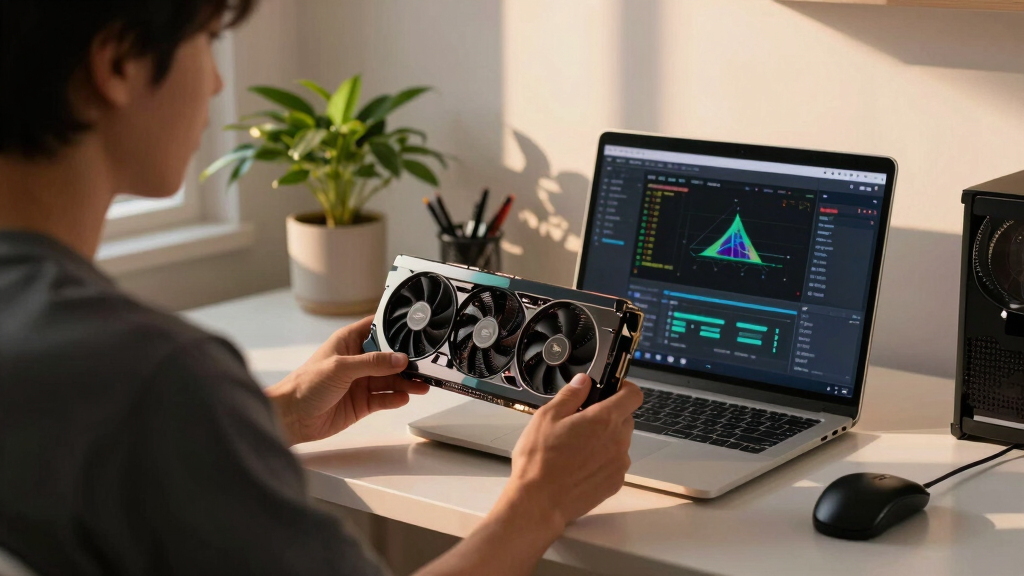
Undervolting your GPU through power limiting can significantly lower heat and noise during AI inference without sacrificing tokens/sec. This approach is simple, reversible, and highly effective for inference workloads.
Recent practical testing confirms that undervolting GPUs via power limiting during AI inference can substantially reduce heat output and noise without significantly impacting tokens per second.
This development offers a simple, reversible way for users to optimize their high-power AI workstations for efficiency and quieter operation.
Multiple sources, including recent performance data, show that lowering the power limit of NVIDIA GPUs—such as the RTX 4090—by 20-50% reduces power draw by up to 40%, decreases temperatures by several degrees Celsius, and cuts noise levels significantly. Despite these reductions, tokens/sec during local inference workloads remain within approximately 93-98% of the original performance, especially when using the easy power limiting method.
Power limiting involves adjusting a single slider in tools like MSI Afterburner, which constrains the GPU’s maximum power consumption. This method is reversible, safe, and requires no stability testing, making it suitable for most users. The data indicates that the most efficient balance occurs around 50-55% power limit, where performance loss is minimal but heat and noise are greatly reduced.
Undervolting—fine-tuning the GPU’s voltage-frequency curve—can yield further improvements but involves more complex adjustments and stability testing. Experts recommend starting with power limiting for most users and only progressing to undervolting if additional optimization is desired.
Undervolt for inference:
lower heat, same tokens/sec.
Local inference is memory-bound — the GPU core spends much of its time waiting on VRAM, not maxing out compute. So when you cap its power, heat falls fast while throughput barely moves. Drag the slider in Part 2 to see the trade for yourself.
(the real limit)
(often waiting)
you pay for in heat
| Power limit | Power draw | Temp | Speed kept | Efficiency |
|---|---|---|---|---|
| 100% (stock) | 390 W | 72°C | 100% | baseline |
| 80% | 330 W | 70°C | 98.6% | +17% |
| 70%recommended | 300 W | 67°C | 93.4% | +22% |
| 60% | 260 W | 62°C | 91.5% | +37% |
| 55%peak efficiency | 240 W | 60°C | 89.2% | +45% |
| 50% | 220 W | 58°C | 82.6% | +46% |
| 40% (too far) | 180 W | 52°C | 61.3% | falls off |
- One slider, 100% → 70%. The card reduces voltage and clocks on its own.
- Can’t damage anything — you’re restricting the card, not pushing it.
- No stability testing needed.
- Captures most of the available benefit.
- Edit the voltage-frequency curve — hold a clock at lower voltage.
- Target around 0.9–0.95V to start; better chips go lower.
- Keeps more performance for the same heat cut.
- Test under your real workload — a curve stable for 10 min can fail on hour 3.
MSI Afterburner (works on any brand). Headless Linux: nvidia-smi or LACT.sudo nvidia-smi -pl 300.Impact of Power Limiting on AI Inference Efficiency
This approach allows AI practitioners and data scientists to operate high-power GPUs more sustainably, reducing cooling costs, noise pollution, and thermal stress on hardware. It also enhances the practicality of running inference workloads continuously in office or home environments, where heat and noise are concerns. The minimal performance trade-off makes this a compelling tuning method for AI inference tasks, especially in large-scale or long-duration deployments.
NVIDIA GPU power limit adjustment tool
As an affiliate, we earn on qualifying purchases.
As an affiliate, we earn on qualifying purchases.
GPU Factory Settings and Inference Workloads
Modern GPUs, including NVIDIA’s RTX series, ship with conservative factory voltage and power settings designed for stability across all chips. These settings often result in higher-than-necessary heat and power consumption, especially during inference tasks that are memory bandwidth-bound rather than compute-bound. Prior to this, most guides focused on gaming performance, where reducing core clocks can lead to noticeable frame drops. In inference, however, the bottleneck is often memory bandwidth, making aggressive undervolting and power limiting feasible without significant speed loss.
Recent tests and user reports demonstrate that capping power limits at around 60-80% preserves most inference speed while dramatically reducing heat and noise, especially on high-end cards like the RTX 4090 and 5090. This insight is rooted in the understanding that the GPU's core clock is often not the limiting factor during inference workloads.
"Most local inference workloads are memory-bound, so reducing power and voltage doesn’t significantly impact speed but greatly improves thermal and acoustic performance."
— Thorsten Meyer, AI tuning expert
GPU undervolting software MSI Afterburner
As an affiliate, we earn on qualifying purchases.
As an affiliate, we earn on qualifying purchases.
Remaining Questions on Long-Term Stability
While short-term tests show minimal performance impact, the long-term stability of aggressive undervolting and power limiting across different workloads and hardware variants remains unconfirmed. Variations in chip quality, cooling solutions, and workload types could influence results, requiring further testing for widespread adoption.
Additionally, the precise thresholds for safe undervolting and power limiting in less common GPU models are still being explored, and user experiences may vary.
GPU thermal management cooling pad
As an affiliate, we earn on qualifying purchases.
As an affiliate, we earn on qualifying purchases.
Next Steps for Users and Developers
Users are encouraged to experiment with power limiting tools like MSI Afterburner to find their optimal balance between heat, noise, and performance. Hardware manufacturers and software developers may also incorporate more advanced, automated undervolting features tailored for inference workloads in future GPU driver updates. Ongoing community testing and sharing of results will help refine best practices and establish standardized settings for different GPU models and inference scenarios.
quiet GPU cooling fan
As an affiliate, we earn on qualifying purchases.
As an affiliate, we earn on qualifying purchases.
Key Questions
Does undervolting reduce inference speed?
In most cases, especially during memory-bound inference workloads, undervolting via power limiting causes minimal to no noticeable speed reduction—often less than 3%. The key is that the bottleneck is not the core clock, so performance remains high.
Is undervolting safe for my GPU?
When done via power limiting or careful undervolting, it is generally safe and reversible. However, aggressive undervolting beyond recommended thresholds can cause instability; users should proceed gradually and test stability.
Can I use undervolting for gaming as well?
Undervolting for gaming is more complex because games are often compute-bound, making performance more sensitive to core clock reductions. The method described is optimized for inference workloads and may not be suitable for gaming without further testing.
How much heat can I expect to reduce by undervolting?
Based on recent tests, reducing power limits from 100% to around 60-70% can cut heat output by approximately 30-40%, with corresponding temperature drops of 5-10°C depending on the GPU model and cooling setup.
Source: ThorstenMeyerAI.com